
EVX Software version 3.11.13 focuses on clarity across Project Management, billing, and financial oversight. From invoice payment summaries to unbilled work reporting and overrun tracking, this release reduces friction, improves cash flow timing, and maintains control as projects evolve.
Running an Environmental Consulting and Engineering firm means working in constant detail, with projects that evolve, teams spread across offices and job sites, and financial results tied closely to timing and accuracy. Version 3.11.13 of EVX Software focuses on improving day-to-day clarity across billing, project progression, and field work, helping teams better understand what has been invoiced, when projects move from proposal to active, and how to stay focused on the tasks that matter. The goal is not to add new layers of complexity, but to reduce the effort spent validating information, following up on uncertainties, and correcting issues late in the billing cycle, aligning the system more closely with how Environmental Consulting and Engineering firms actually operate.
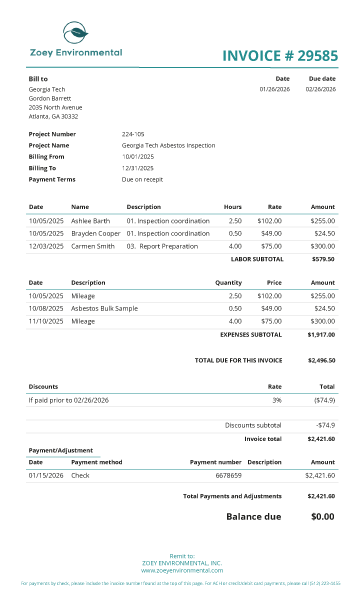
Invoice templates can now be configured to display a payment summary and balance due directly on the document. When enabled, the invoice shows applied payments, adjustments, discounts, and updated totals, including partial payments and percentage-based changes. The final amount due is calculated using these values, so the relationship between original charges and the remaining balance is clear.
This setting allows firms to decide whether clients see a detailed payment breakdown. It supports faster internal review and clearer communication of what has been paid, adjusted, and remains outstanding within your Project Management process.
Projects in EVX Software move through contract stages defined by each firm, from early proposal work through active delivery and closure. The new contract stage change report records when these transitions occur and makes them visible in a single view, including the date a project moved from one stage to another.
This additional visibility helps teams understand project flow over time, especially when multiple proposals and active projects are managed in parallel. Instead of relying on manual notes or memory, firms can reference an accurate record of when projects formally progressed, supporting planning, coordination, and internal reporting.
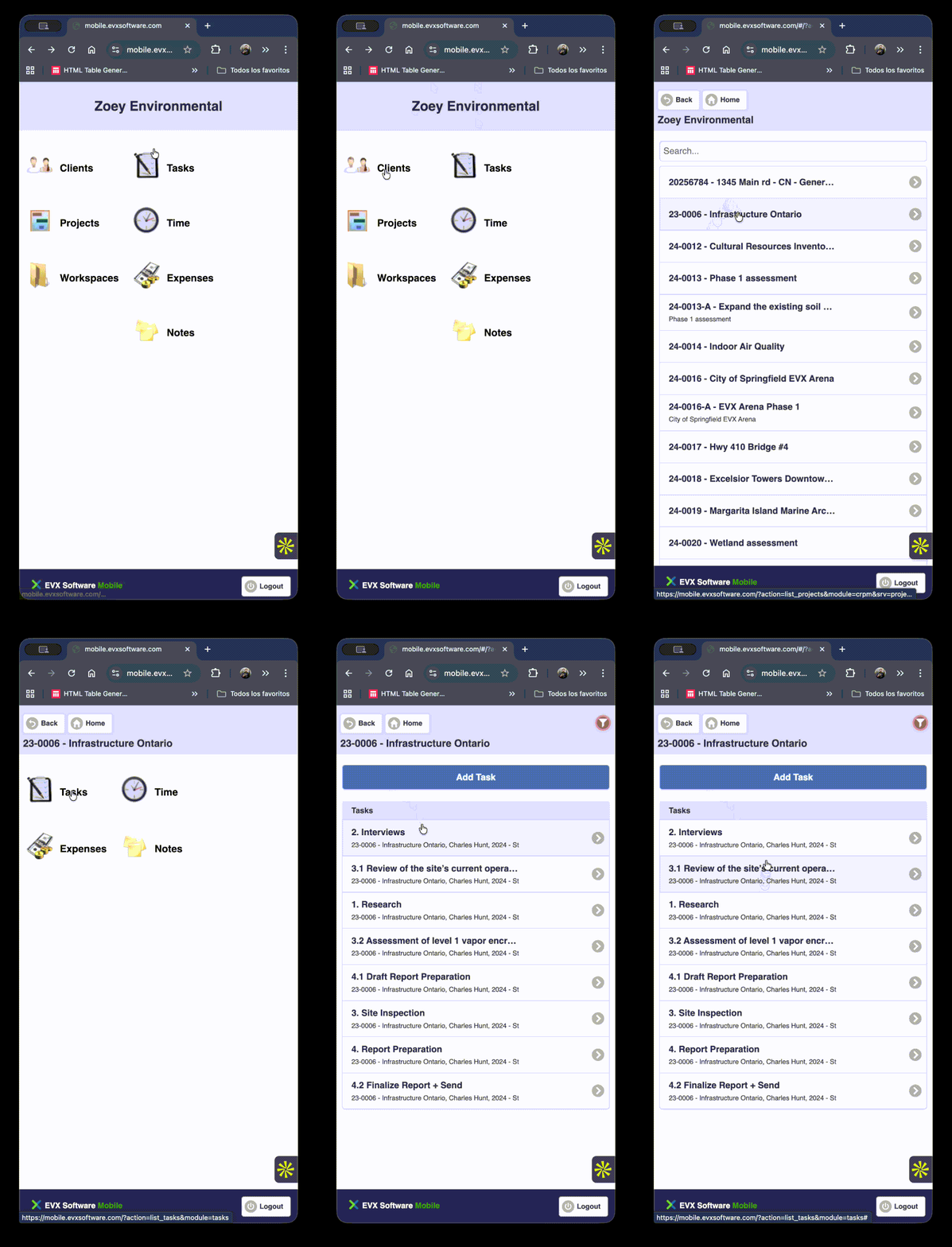
Field teams often work on one project at a time, even if they are assigned tasks across several projects. The mobile app now allows users to narrow their task list to a specific project, making it easier to focus on the work relevant to the site or job they are currently supporting.
This refinement does not remove broader visibility; it adds control. Users can switch between a filtered view and their full task list as needed, allowing the mobile experience to adapt to changing conditions in the field without altering task assignments or workflows.
Expense records are an essential part of financial workflows, particularly for firms managing reimbursable costs across many projects. EVX Software now allows authorized users to update the payment status of multiple expenses at once, rather than processing each record individually.
This approach reduces the time required to complete routine financial tasks while keeping permission controls in place and ensure consistency with internal financial processes and approval structures.
%2010.41.24%E2%80%AFa.m..png)
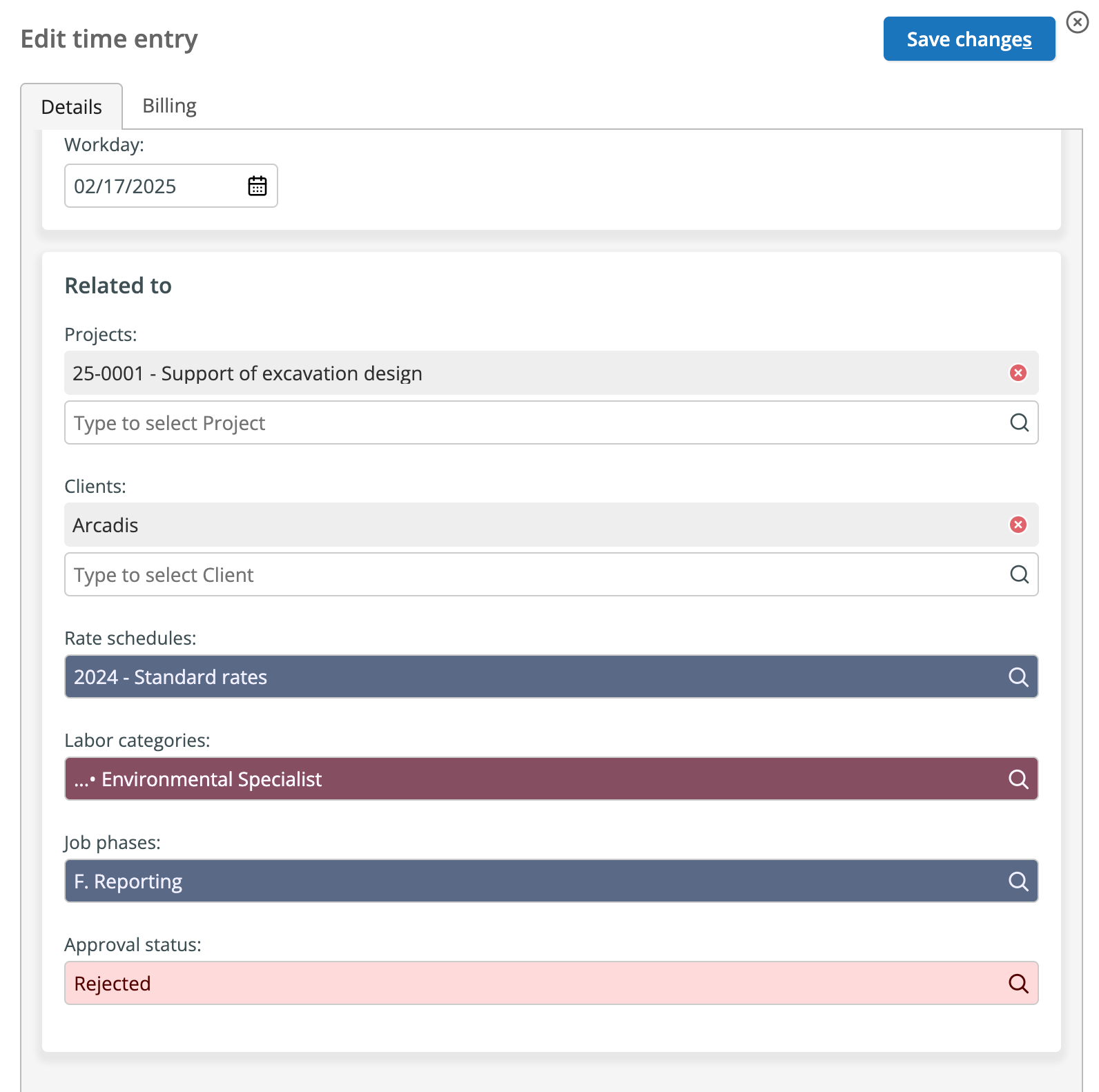
Time entry workflows often involve review and occasional rejection, whether due to client requirements or internal policies. When time is rejected, EVX Software now notifies the relevant users so corrections can be addressed promptly.
By making rejected entries visible as soon as they occur, teams can resolve issues earlier in the process. This reduces last-minute corrections during invoicing and helps maintain cleaner, more reliable time data throughout the project lifecycle.
As firms grow, consistent naming becomes increasingly important for navigation and long-term usability. EVX Software allows administrators to define how dimension names appear in the left navigation panel, using combinations of existing properties such as project number, short name, client, or any field you want to include in the name.
These display rules affect how information is presented, not how it is stored. This makes it possible to enforce internal naming conventions without restructuring data, helping both current and future staff locate projects and clients more easily.
%2011.03.54%E2%80%AFa.m..png)
Custom reports related to projects can now include values for unbilled expenses, unbilled time, and total unbilled amounts. These values reflect work that has been completed but not yet invoiced, calculated directly from existing time and expense records.
Including these values in reports allows teams to identify unbilled work and expenses more precisely and monitor how it evolves over time. This supports better billing timing and provides clearer insight into revenue that has been earned but not yet realized.
More precise insight into unbilled work
Collaboration through SharePoint remains a key part of document management for many Environmental Consulting and Engineering firms. EVX Software has updated its SharePoint integration to align with recent Microsoft API and policy changes, ensuring continued compatibility.
These updates maintain existing document workflows without requiring changes from users. Teams can continue accessing and sharing project documents as before, even as external platform requirements change.
Maintaining document collaboration continuity
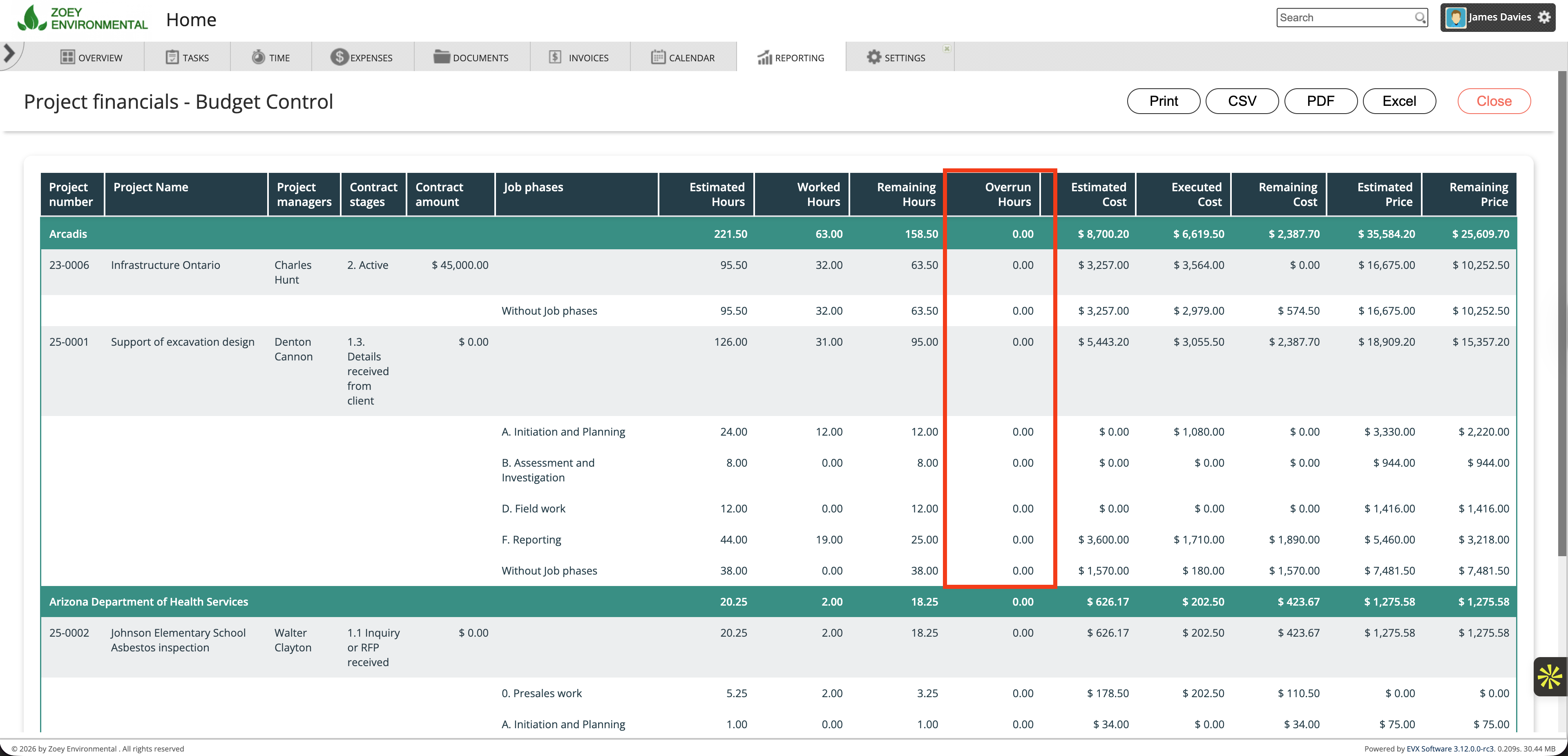
The "Project Financials - Budget Control" report now includes overrun hours, showing where actual time spent exceeds the original estimate. This information is presented alongside existing budget data, providing a clearer view of effort against plan.
With this added context, project managers can identify trends earlier and respond while there is still time to adjust scope, resources, or expectations. This applies to both Time and Materials and Fixed Fee projects, where visibility into effort directly affects outcomes.
Better awareness of effort versus estimates
Version 3.11.13 continues to refine how EVX Software supports Project Management in Environmental Consulting and Engineering firms. The changes in this release focus on making existing workflows easier to review, easier to control, and easier to trust, particularly across billing, project progression, field work, and financial reporting.
By improving visibility into invoices, project stage changes, time and expense workflows, and budget performance, these updates help teams identify issues earlier and act with better information. The result is less time spent reconciling data and more time spent managing projects with confidence.