What's new in EVX Software 4.1: Better project visibility, smarter notifications, and more control
Track project progress at a glance. Choose when your team receives which updates, and simplify everyday
JM
Juan Manjarrés
Marketing Manager
November 12, 2026
Reading time:
#
minutes
Key Takeaways
Version 4.1 adds column sorting, progress bars, and per-widget settings to the overview panel. It redesigns notification emails so you can choose what gets notified and when: immediately, daily, or weekly. The release also adds new ways to build newsletter recipient lists, and a Copy action for custom reports.
Managing projects effectively requires the right information at the right time, without unnecessary administrative work or distractions.
EVX Software 4.1 introduces improvements that make everyday work easier, from more flexible project overviews and redesigned notifications to faster task management and expanded reporting capabilities.
What’s new in version 4.1
Better project visibility. Sort projects, monitor completion visually, and customize overview widgets to focus on what matters.
Smarter notifications. See exactly what changed and control which updates your team receives, and when.
Faster everyday workflows. Edit task information directly, personalize task lists, and duplicate custom reports.
More ways to manage your business. Organize events and ticket types, and build targeted newsletter recipient lists.
Let’s explore what’s new.
Overview dashboard revamp
Version 4.1 updates the overview panel so project status shows without opening each project, and each widget can be set to show what a user needs.
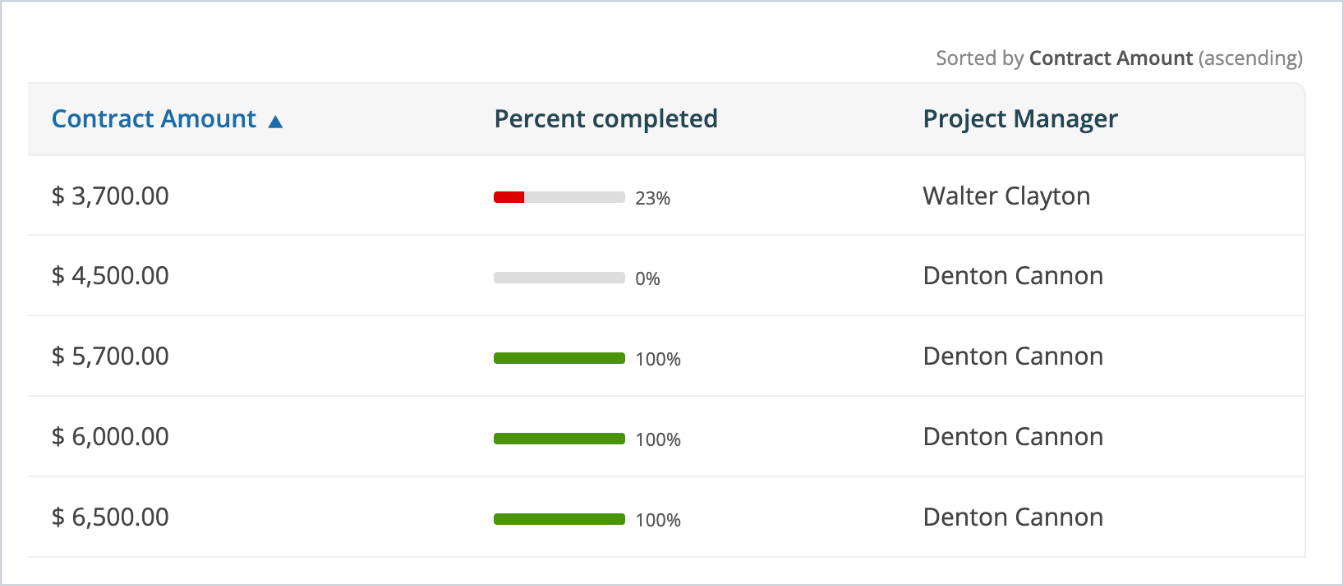
Sort by any column: click a column header in the Projects widget to reorder the list.
Progress at a glance: each project shows its percent completed as a bar that moves from red to dark green.
Widget settings: set how many entries the Activity widget shows, and add a client or workspace from the overview.
Clearer notification emails
EVX Software 4.1 gives your team more control over how and when it receives updates. Redesigned emails make changes easier to understand, while configurable notification rules help everyone stay informed without unnecessary interruptions.
Clearer emails: see what changed, who changed it, and which project or task is affected.
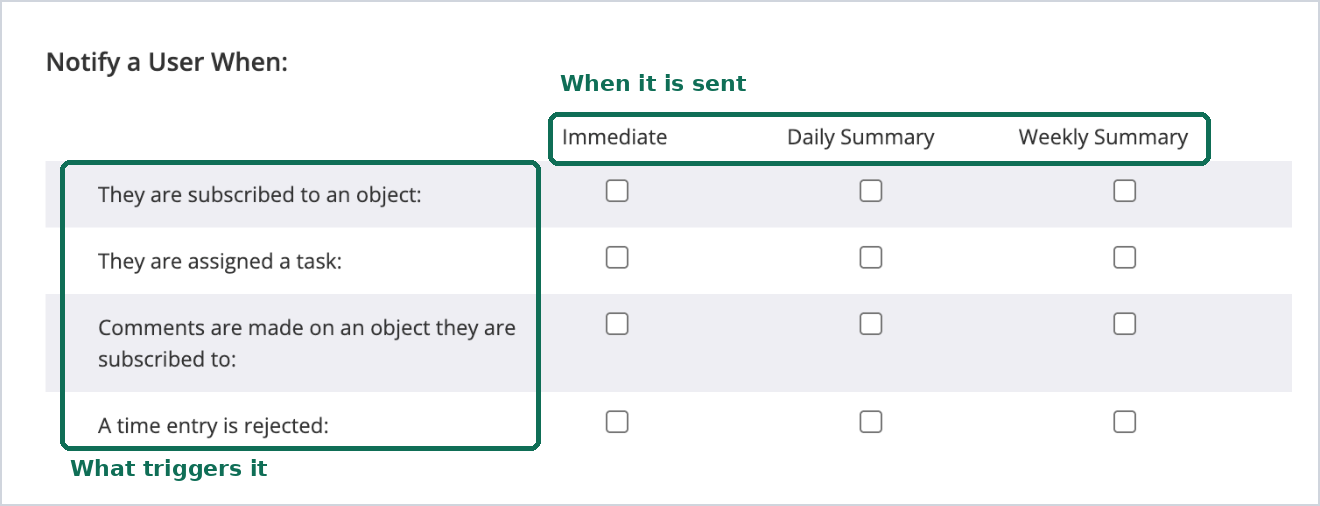
Flexible delivery: receive updates immediately or in daily or weekly summaries.
Granular controls: choose which events and task changes trigger notifications.
Available in: [starter] [professional] [enterprise]
Copy a custom report
A custom report’s options menu now includes Copy. The copy keeps the original’s setup, so a variant only needs the settings that differ, and both reports stay in the library.
Available in: [professional] [enterprise]
Other improvements
Version 4.1 also brings smaller changes across most modules.
Task list
Groups expand or collapse in one click.
Columns can be reordered by dragging, and column order and width are saved for the next session.
In the weekly view, subtasks can be grouped under their parent task.
Task templates can be organized into categories.
Projects
Selecting a client in the project form fills in the billing contact and billing address.
A setting chooses whether linked items are reclassified when a project’s association changes: ask, always, or never.
Forms
Form cards can be set to full width, spanning both columns.
Mobile
Projects can be searched by number.
Email [enterprise]
An email account can be excluded from synchronization.
Search also matches the To and From fields.
QuickBooks Online [professional] [enterprise]
Deleting an invoice in EVX Software also deletes it in QuickBooks Online.
Project fields map to QuickBooks Online fields.
See the new notification settings and overview widgets, then walk through events management
A private tour covers each change in version 4.1 with our team.