
.png)
EVX Software’s reporting tools provide environmental project managers with critical data to make informed decisions at task, team, project, and company levels. By enabling users to generate customized reports with ease, EVX Software empowers better planning, resource allocation, and project outcomes. In environmental consulting and engineering, project success relies on decisions grounded in data, not guesswork. EVX Software understands the value of accurate insights and offers a comprehensive suite of Business Intelligence tools within its reporting module. This robust feature is designed to empower users to draw actionable insights by tracking everything from individual tasks to company-wide metrics. By using EVX Software’s reporting tools, project managers and teams gain the visibility needed to make informed decisions, reduce uncertainty, and effectively manage resources for successful, sustainable project outcomes.
For example, environmental firms often need to decide how to allocate fieldwork resources efficiently, ensuring that personnel and equipment are deployed where they are needed most. Without reliable data, teams may misallocate resources, leading to project delays or budget overruns. Similarly, regulatory compliance requires meticulous reporting on site conditions, emissions, or water quality. A lack of accurate data can result in incomplete reports, potential fines, or project setbacks. EVX Software eliminates these risks by providing real-time tracking and automated reporting, allowing firms to optimize resource management, maintain compliance, and improve overall project efficiency.
In these projects, one key decision is assigning tasks to specific team members based on their expertise and availability. However, without the data provided by Business Intelligence tools, this decision can lead to inefficiencies. For example, assigning too many tasks to one team member without proper visibility into their workload can "burn" them out, leading to delays and burnout. Meanwhile, other team members may have underutilized hours, and missing opportunities to contribute value, utilization reports can help the project manager to better assign resources. Clear, data-driven insights into team utilization ensure that tasks are distributed effectively, balancing workloads and optimizing the overall performance of the team.
EVX Software’s reporting feature is versatile, designed to cover various project management needs, and can be tailored by scope: task-based, team-oriented, project-level, or across the entire company. Each of these levels provides specialized insights, helping users to focus on the details that matter most at each phase of a project.
This flexibility ensures that, whether you’re a project manager assessing a team’s workload or a C-level executive interested in company-wide metrics, EVX Software’s reporting tools provide you with the necessary data to make well-informed decisions.
Getting started with the reporting module is simple. Follow these steps:
First, confirm that the reporting module is active in your EVX Software setup. If it’s not available, contact our Customer Success team to explore your options.
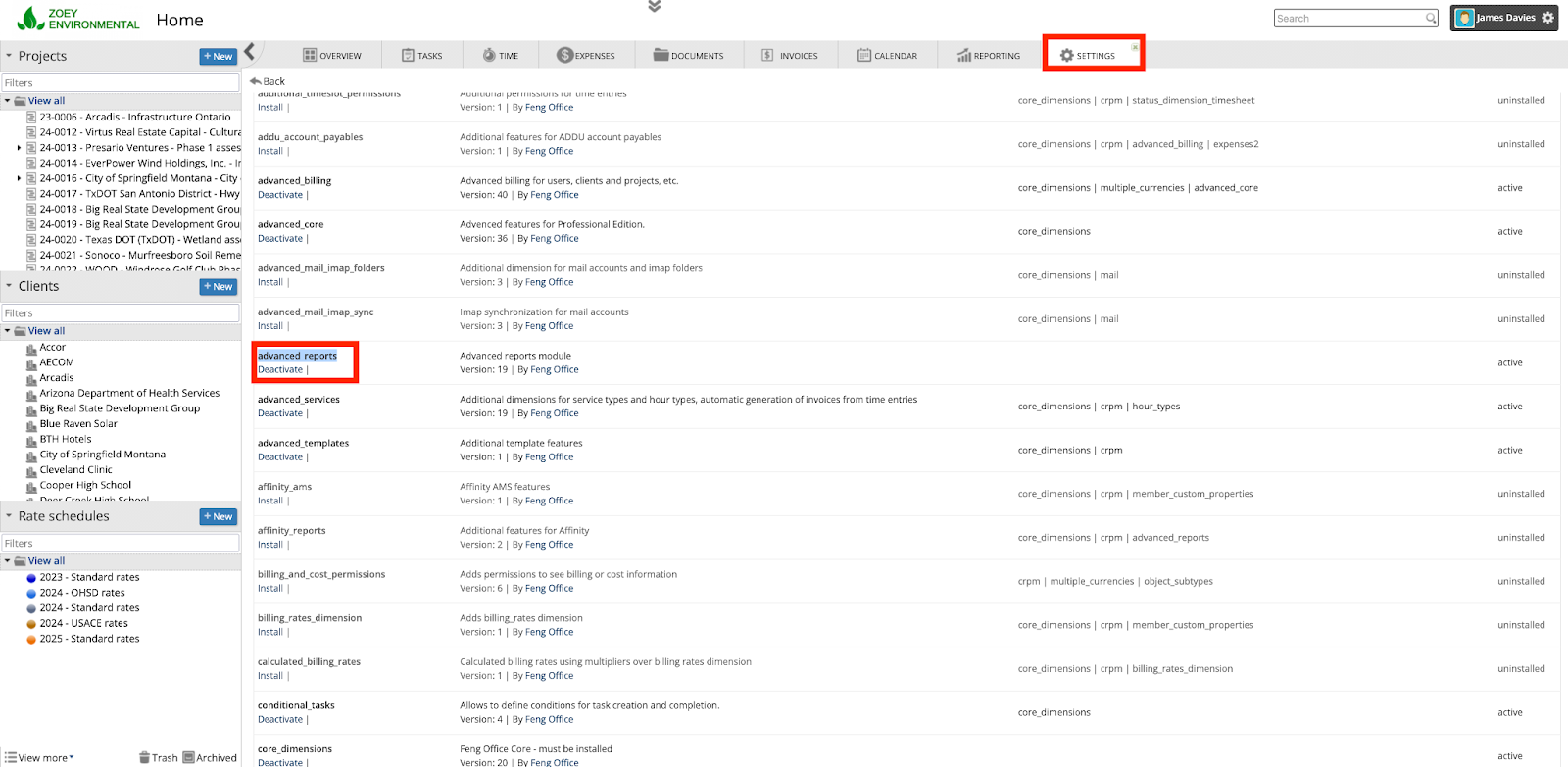
After confirming the module is active, go to the Reporting tab in the EVX Software dashboard.
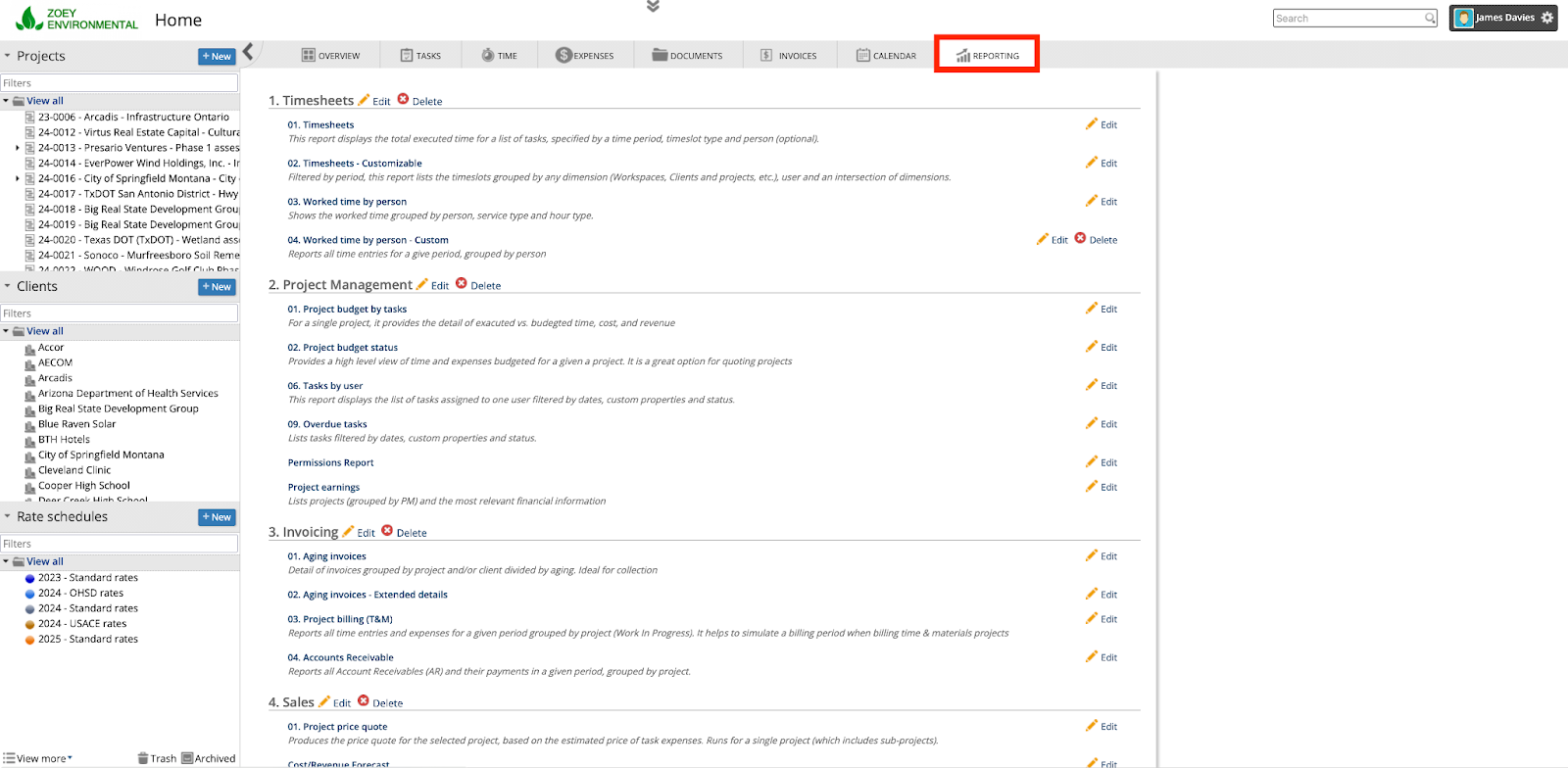
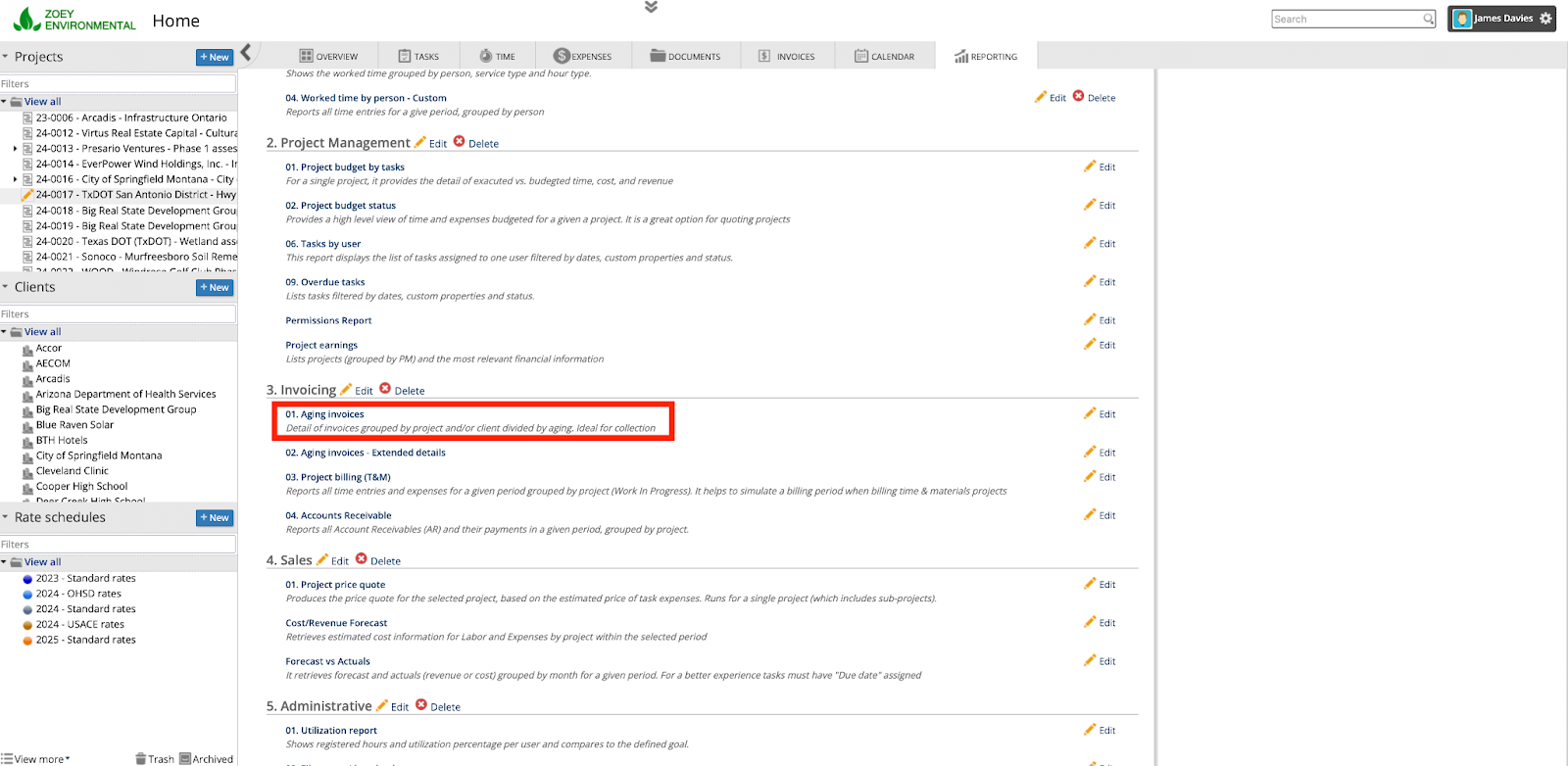
Select the type of report you need based on your focus—whether it’s task-based, team-oriented, project-level, or company-wide.
Customize the report by adjusting parameters such as dates, team members, or budget criteria to refine the data you want to analyze.
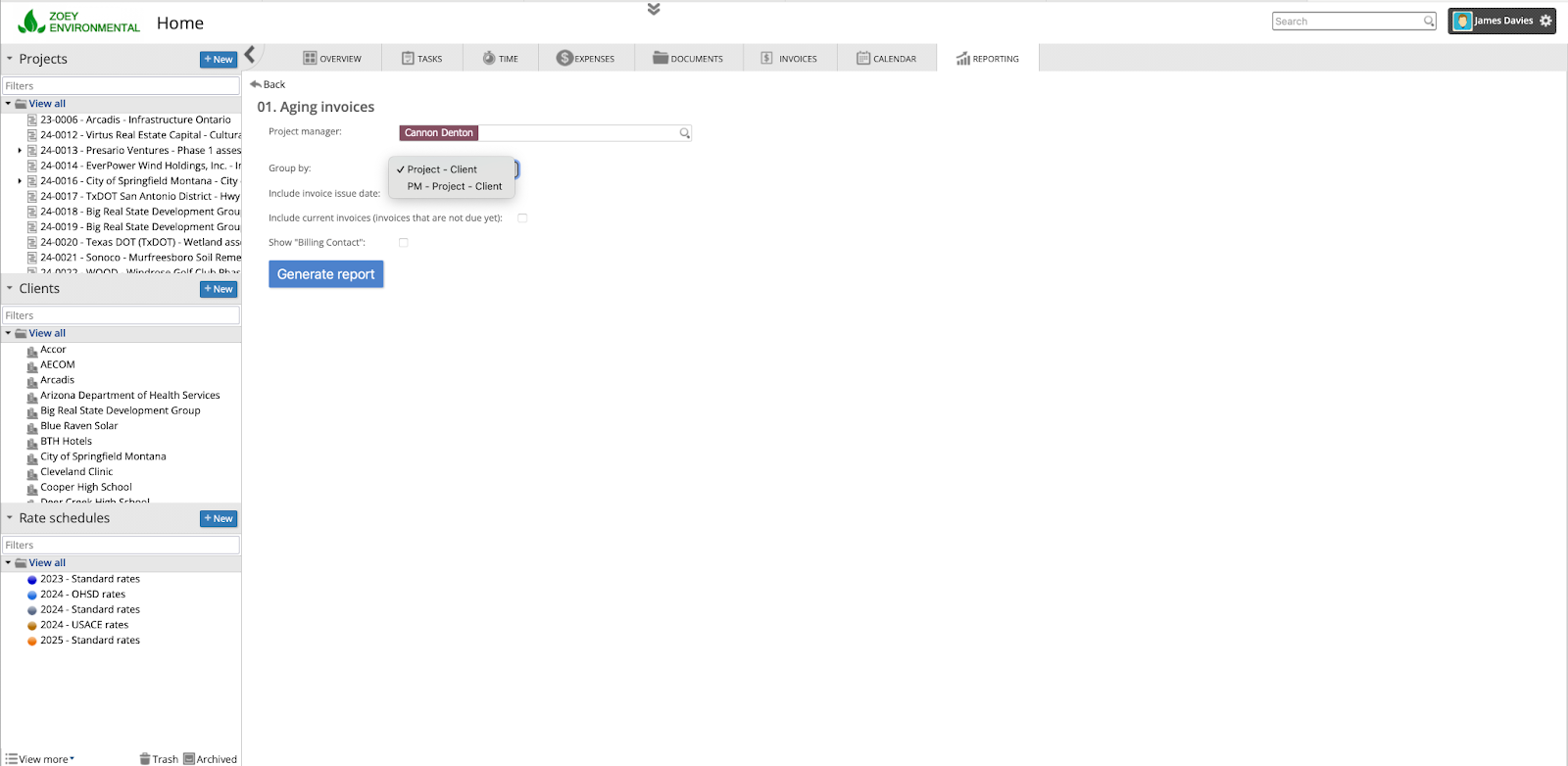
Once you've set the parameters, run the report and review the results. Each report in EVX Software is designed to provide actionable insights, empowering you to make data-driven decisions.

For an in-depth look at specific reports and their applications, EVX Software’s Learning Center offers articles detailing each report type. Available on our website, these resources are there to guide you through the reporting tools.
Environmental projects come with their unique set of complexities, and EVX Software’s reporting module is here to simplify decision-making. By tapping into these reports, users can rely on objective data to plan resources, adjust timelines, and enhance project outcomes.
One of our clients effectively utilized the Gross Margin report to gain valuable insights into a current project’s financial performance. Upon reviewing the data, they identified that equipment rentals and travel expenses were significantly impacting the project’s profitability. This early detection allowed them to take corrective action before the issue escalated. By reducing the number of trips and optimizing fieldwork, they were able to consolidate several tasks into fewer travel days, ultimately cutting costs and improving the project’s margin. This proactive approach helped ensure the project stayed on track, both financially and operationally.
Task Reports: Track task status, resource use, and costs. Identify delays fast and reallocate with confidence.
Avoid burnout and underutilization. Spot team members who are overwhelmed—and those who are ready to take more on.
Monitor real-time spend vs. projections. Spot variances early to avoid overspending.
People Reports are essential for optimizing team performance by offering insights into individual productivity, workload balance, and overall team dynamics. By analyzing these reports, project managers can identify which team members are overburdened and which have the capacity to take on additional tasks. This allows for more strategic task distribution, ensuring that no one is overworked while others remain underutilized. Additionally, People Reports can highlight team strengths and areas for improvement, enabling managers to provide targeted support or training. By using these insights, managers can foster a more balanced, efficient, and motivated team, ultimately driving better project outcomes.
Tracking project budgets with data-driven reports ensures that financial resources are managed effectively throughout the project lifecycle. These reports provide a clear view of actual expenses versus projected costs, highlighting any variances that may require attention. By analyzing data on labor costs, materials, and other expenditures, project managers can identify areas where spending may be higher than expected and take corrective actions early. Data-driven reports allow for more accurate forecasting, helping teams stay within budget and avoid costly surprises. With this level of insight, managers can make more informed decisions, optimize resource allocation, and keep the project on track financially.
EVX Software’s reporting tools provide the clarity and data-driven insights needed to run impactful, effective environmental projects. By switching from intuition to data-backed decisions, project managers and executives can make choices that not only benefit their bottom line but also support sustainable environmental goals. Ready to see how EVX Software’s reporting module can support your projects?


.png)
.png)
