Version 4 brings a completely redesigned interface to EVX Software. Cleaner navigation, card-based forms, contextual help, and fewer clicks to get things done, built around the complexity of environmental consulting and engineering projects.
Environmental projects don't follow a straight line. A single project can involve field data collection, regulatory reporting, subcontractor coordination, billing across multiple phases, and a handful of people who each need a different view of the same information. Most software wasn't built with that complexity in mind, and over time, the cracks show up as extra clicks, hard-to-read forms, and navigation that makes you hunt for what you need.Version 4 of EVX Software addresses this directly. The redesign isn't a coat of paint. It's a set of deliberate changes to how the interface works, guided by the specific demands of environmental consulting and engineering projects.
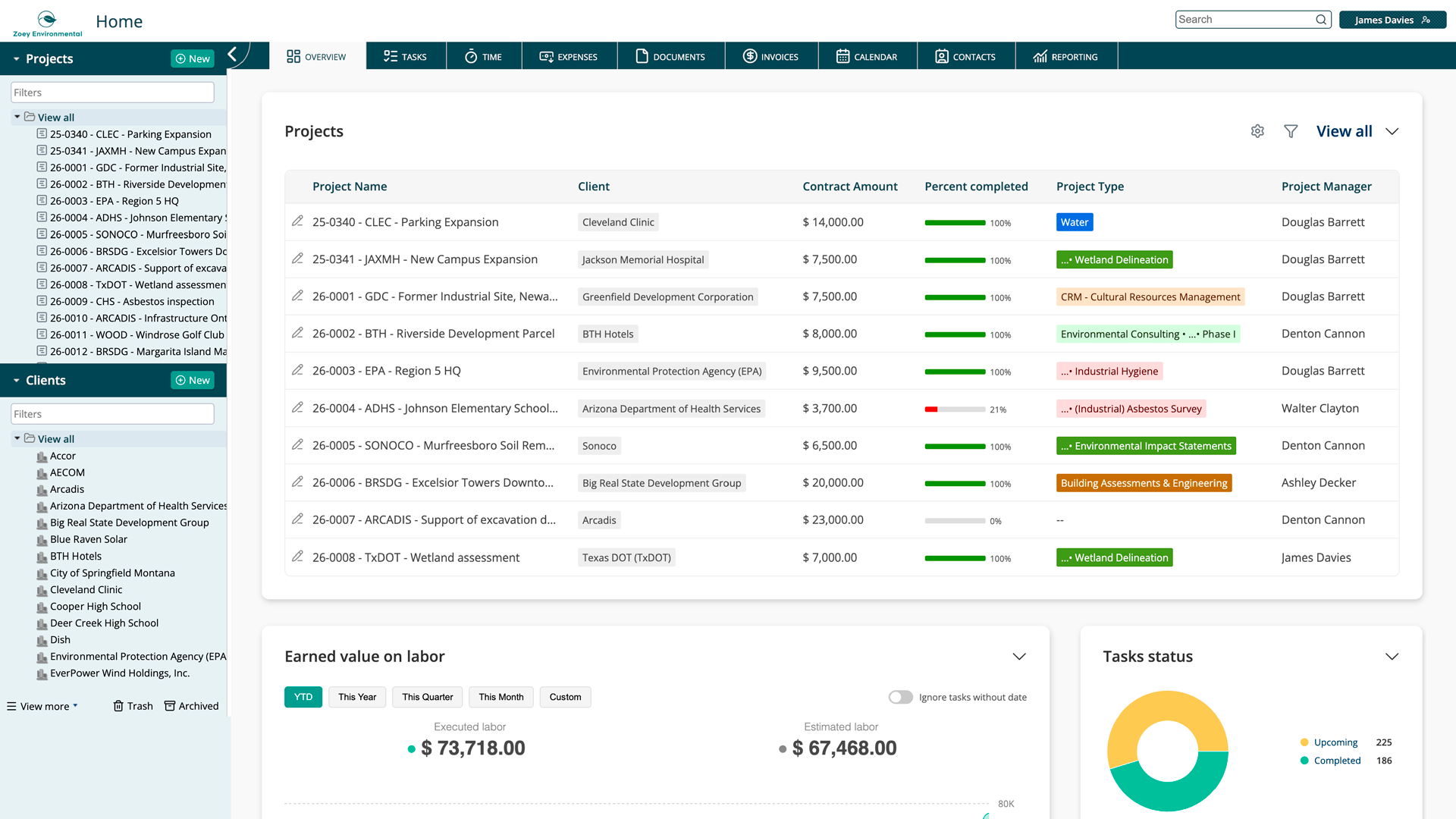
EVX Software Version 4 moves to a better icons across the platform. The reason is consistency: one icon set, used the same way everywhere, makes the interface easier to read at a glance. Paired with updated color contrasts and unified typography, the result is a workspace that's less visually noisy and easier to scan, especially useful when you're switching between project sections quickly or working across multiple projects at once.
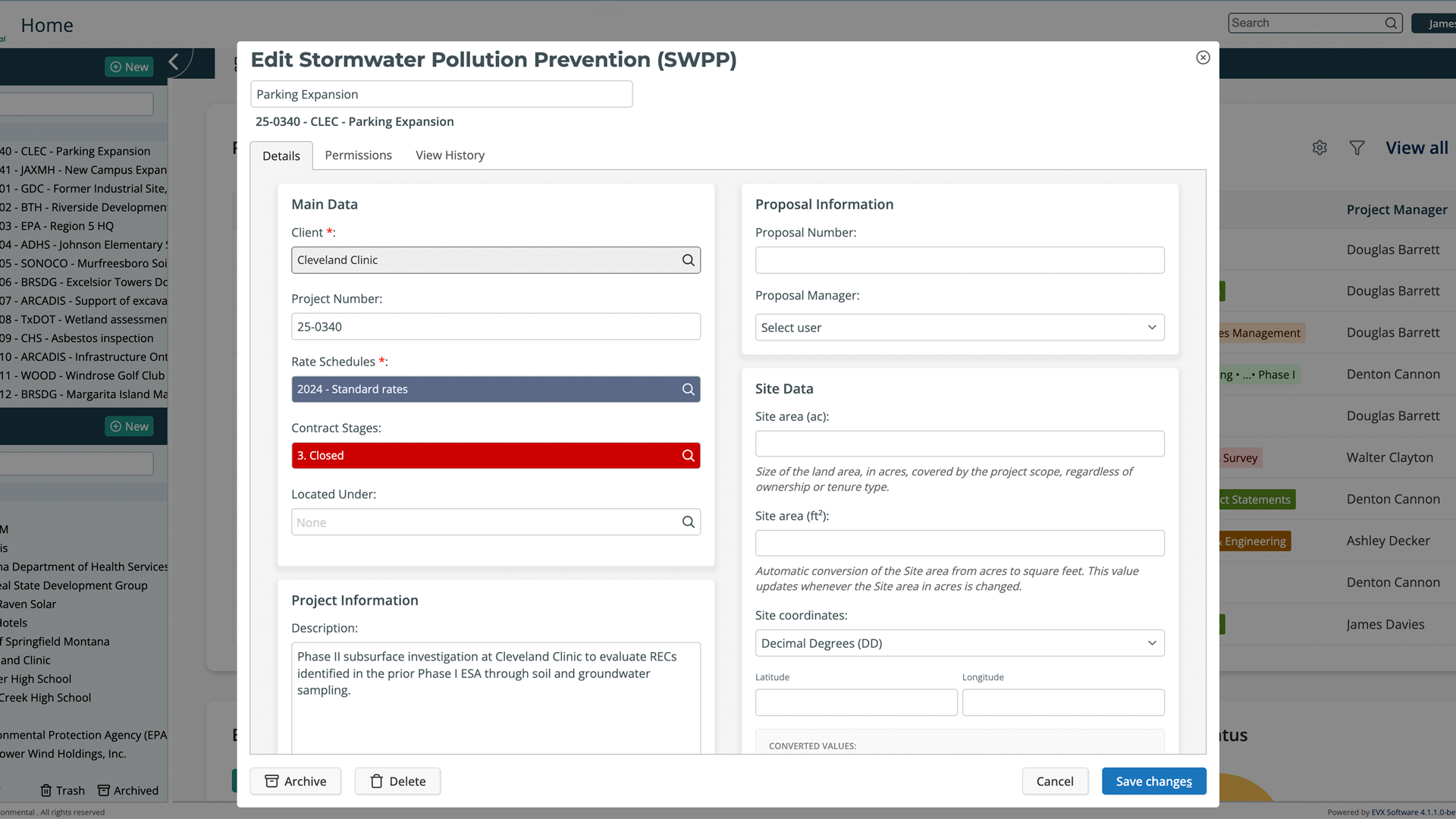
Forms in Version 4 shift from a single long column to a two-column card-based layout. This change does more than make things look cleaner. It groups related fields visually, so the form itself starts to reflect the structure of the data you're entering. For environmental projects, where forms often carry a large number of fields across different categories, that grouping reduces the cognitive load of filling them out and reviewing them later.
Version 4 reduces the number of clicks needed for frequently used functions and makes button behavior more predictable. If you've been using the system for a while, you'll notice the difference quickly. Things that used to take three steps now take one or two
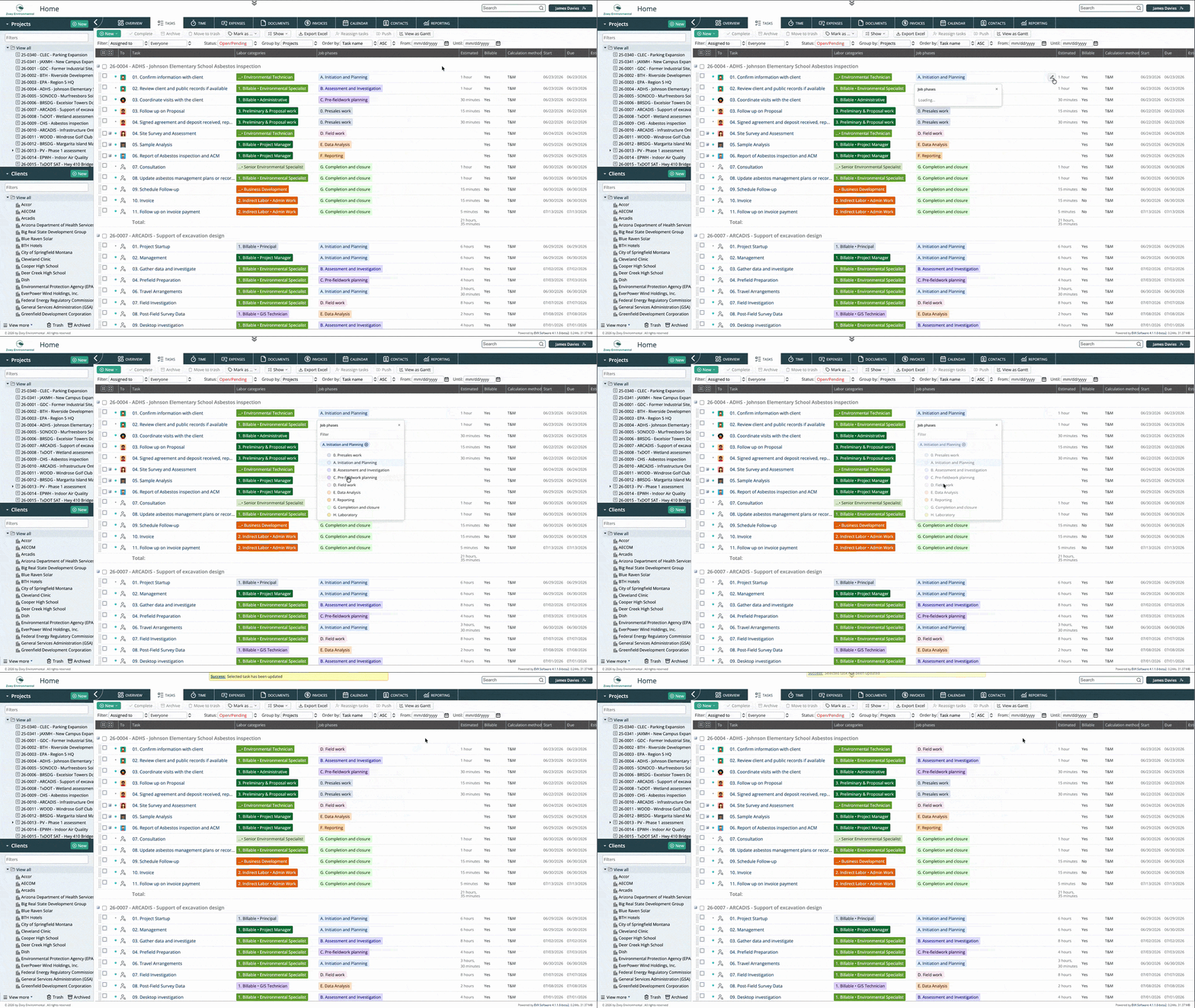
Scientific work involves filling out data fields and concepts that aren't always self-explanatory, particularly for team members who are newer to the system or less involved in the administrative side of projects. EVX Software provides contextual description directly in the interface, so users can get a plain-language explanation of a field without leaving the screen or searching through documentation.
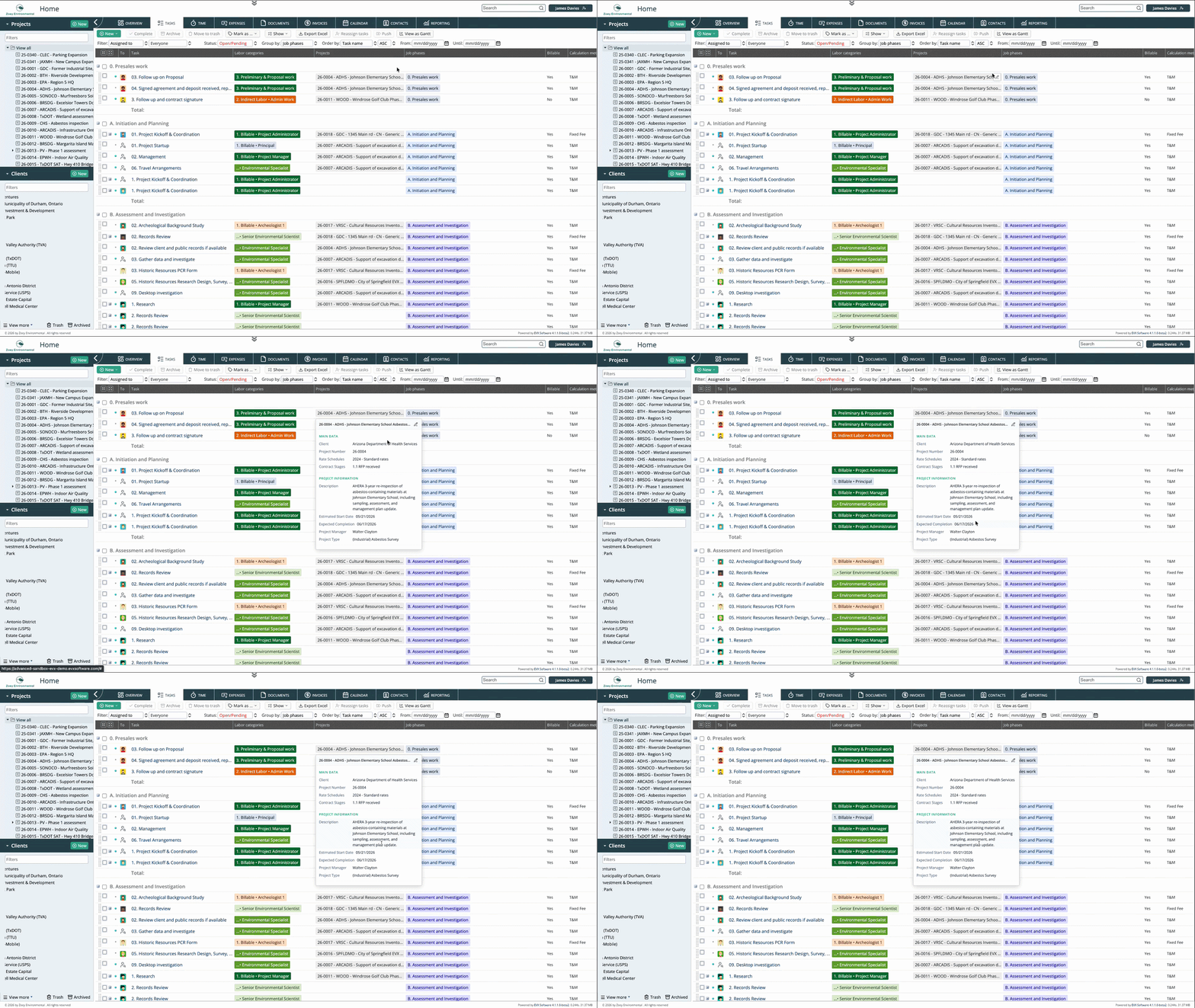
Environmental projects are complex by nature. A project in EVX Software touches tasks, time entries, expenses, billing, documents, and contacts, and the people working on it often need to move between those areas frequently. The Version 4 interface introduces navigation improvements specifically designed to make those transitions faster and more intuitive, reducing the time spent orienting yourself and increasing the time spent actually working.
The practical effect of these changes adds up quickly. Less time spent navigating means more time on the work. Clearer forms mean fewer data entry errors and less back-and-forth to correct them. Contextual help means your team can work more independently without stopping to ask about what a field means. And a more consistent visual language across the platform means the interface starts to feel familiar faster, both for long-time users adapting to the new version and for new team members getting up to speed.For environmental consulting and engineering firms, where projects are long, teams are multidisciplinary, and the margin for administrative error is low, these aren't small improvements.
The redesign also sets the foundation for the other features introduced in Version 4. Configurable forms, inline editing, automatic invoicing, and the new dashboard all build on the same interface principles introduced here. The changes to the UX aren't separate from the new functionality; they're the environment in which that functionality lives. Getting the interface right first makes everything else work better.
The Version 4 interface redesign is a practical response to how environmental consulting and engineering projects actually operate. Cleaner icons, better contrast, card-based forms, fewer clicks, contextual guidance, and improved project navigation; none of these are flashy changes, but together they produce a workspace that gets out of your way and lets you focus on the project.
Reading about an interface change only goes so far. If you want to see how Version 4 actually feels to work in, we're happy to walk you through it personally.
Book a private tour, and we'll show you the platform at your own pace.
A private tour is a real conversation, not a scripted demo. You tell us how your firm works and we show you how EVX Software handles it. No pressure, no slides.