Version 4 adds hover previews to EVX Software. Move your cursor over a task, location, person, or project and get the full picture of that record instantly, without clicking into it or leaving your current view.
Working through a project in EVX Software means moving between a lot of information. Tasks, locations, team members, and projects. Each one carries details that are relevant to decisions being made throughout the day. Getting to those details quickly, without losing your place or breaking your flow, is the kind of thing that seems minor until you're doing it dozens of times a day.Version 4 addresses this with hover previews in the task module, a simple change with a noticeable effect on how fast you can move through the platform.
In Version 4, moving your cursor over a record shows a preview of its details directly in your current view. There is no click required and no navigation away from where you are. The information appears while you hover and disappears when you move on. You get what you need and keep working without interruption.Before Version 4, hovering over a record showed nothing. If you needed to check any detail about a task, a location, a person, or a project, the only option was to open it. That meant leaving your current view, finding the information, and returning. For a single lookup, that's minor. For a project manager reviewing a full task list or scanning through dimensions to verify assignments, it's a constant source of friction.
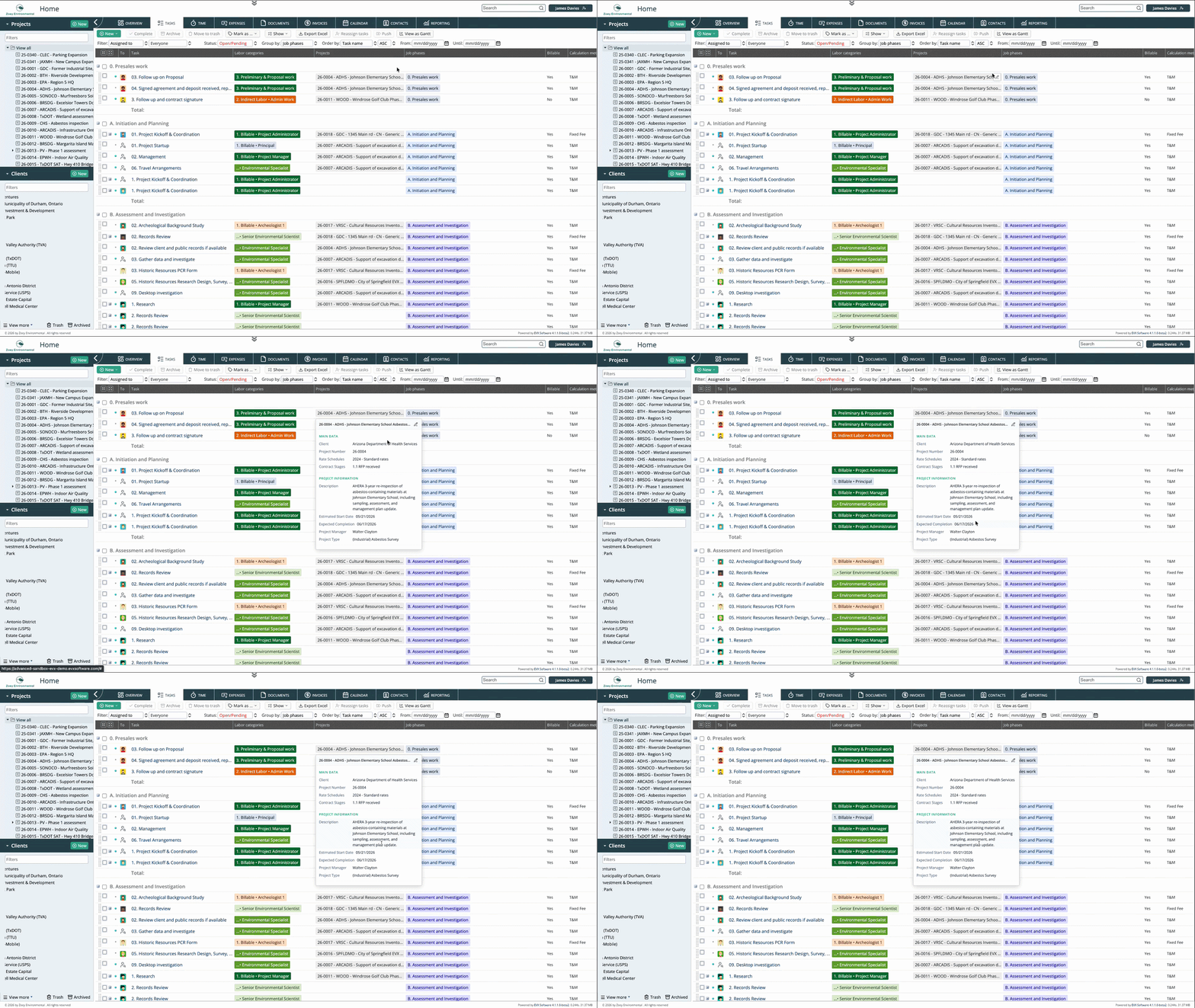
Hover previews in EVX Software are designed to surface the complete picture of a record, not just a name or a status. Depending on what you're hovering over, the preview can include the full data associated with that dimension, things like locations with their relevant details, people with their assigned roles and projects, or tasks with their current status, dates, and associated information. The goal is that a hover gives you enough context to make a decision or confirm a detail without needing to open anything.
When a project manager is scanning through a task list, they're often looking for specific pieces of information across multiple tasks. With hover previews, that scan happens in place. Move the cursor across the list, check what you need on each item, and keep moving. No opening, no navigating back, no losing your position in the list.
Environmental projects involve multiple dimensions, locations, people, project types, and others, each carrying its own data. When those dimensions appear in a form or a list, hovering over them now shows what's behind them. A location previews its details. A team member previews their relevant information. That context, available instantly without a click, makes it easier to verify that the right records are connected to the right places in the project.
When a project manager is scanning through a task list, they're often looking for specific pieces of information across multiple tasks. With hover previews, that scan happens in place. Move the cursor across the list, check what you need on each item, and keep moving. Environmental consulting and engineering projects are rarely simple. A single project can involve multiple phases, locations, subcontractors, and team members, each represented by records in the system. Hover previews reduce the navigation overhead of working across that complexity, because checking a detail no longer means leaving the view you're in.No opening, no navigating back, no losing your position in the list.
Hover previews are not a dramatic feature. They don't change what data exists in the system or how it's organized. What they change is how quickly you can access that data while working. And because the need to check a detail without fully opening a record comes up constantly throughout a working day, the time saved and the friction removed add up in a way that becomes noticeable quickly.It's the kind of improvement that's hard to quantify but easy to feel. Once you've worked with hover previews available, going back to clicking into every record to check a single detail is something you'd notice immediately.
Version 4 adds hover previews to EVX Software so that moving your cursor over a task, location, person, or project shows its full details instantly, without opening the record or leaving your current view. Before Version 4, hovering showed nothing, and every detail required a click. Now the information is there when you need it, and you keep working without losing your place.
Reading about an interface change only goes so far. If you want to see how Version 4 actually feels to work in, we're happy to walk you through it personally.
Book a private tour, and we'll show you the platform at your own pace.
A private tour is a real conversation, not a scripted demo. You tell us how your firm works and we show you how EVX Software handles it. No pressure, no slides.